

Workday HCM Review: A Better Way to Manage Enterprise HR
 Published byNoura Mint ElySenior Technology ReporterNoura Mint ElySenior Technology Reporter Verified authorNoura Mint Ely is a Senior Technology Reporter at Desking, covering the latest developments in technology, artificial intelligence, enterprise software, cybersecurity, a…Author Profile

Ad disclaimer For links on this page, DESKING APP may earn a commission from the provider. This supports our work and has no influence on our editorial rating.
Workday HCM is an enterprise human capital management platform built for companies that need consistent control over a large, complex workforce. Its strongest advantage is the connection between HR operations and workforce planning. The tradeoff is substantial: implementation averages 6.1 months, pricing is quote based, and smaller employers may pay for more system than they need.
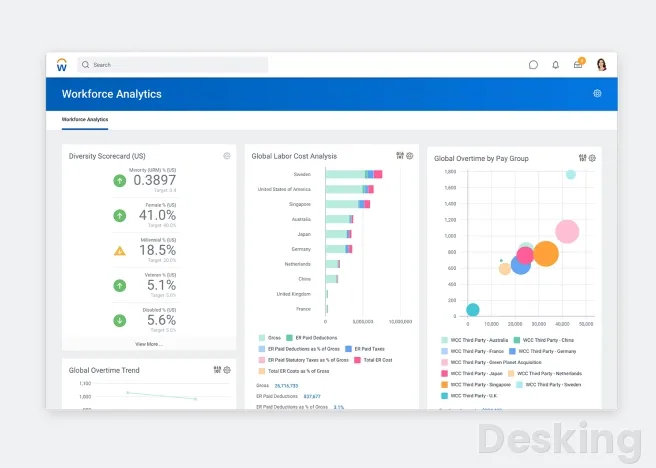
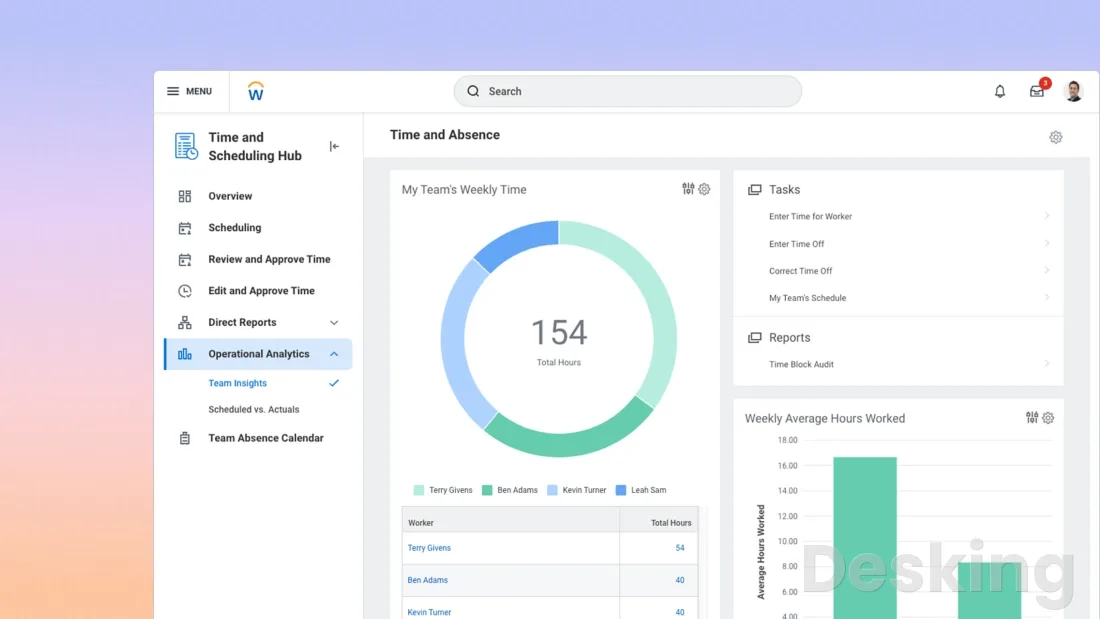
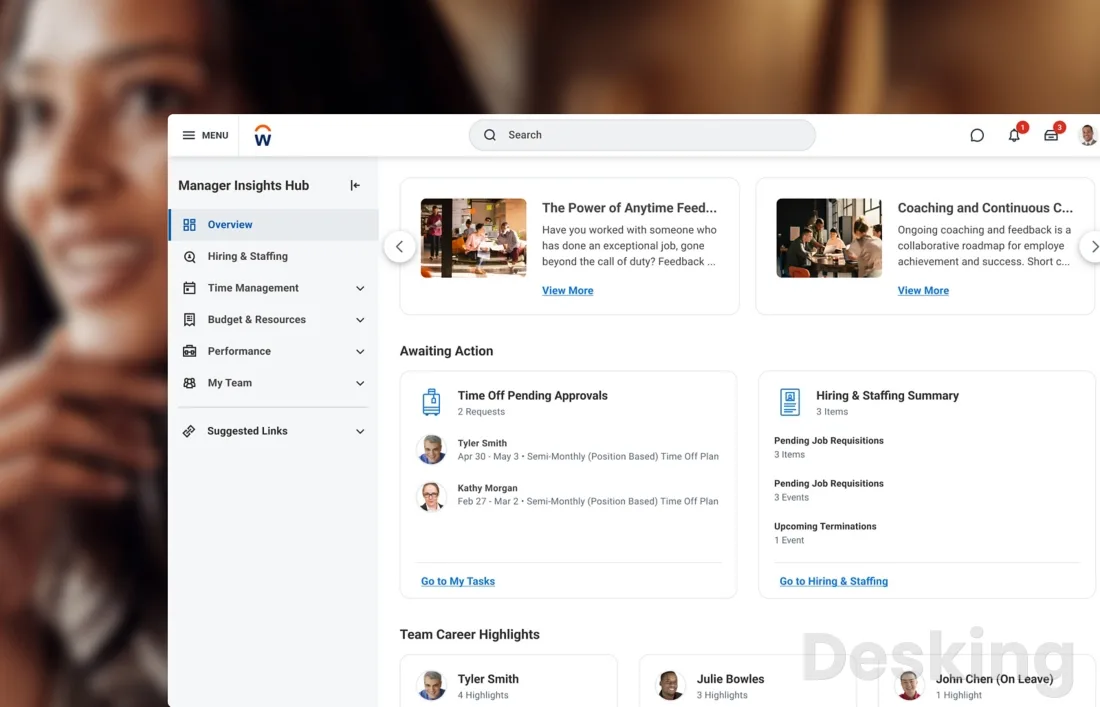
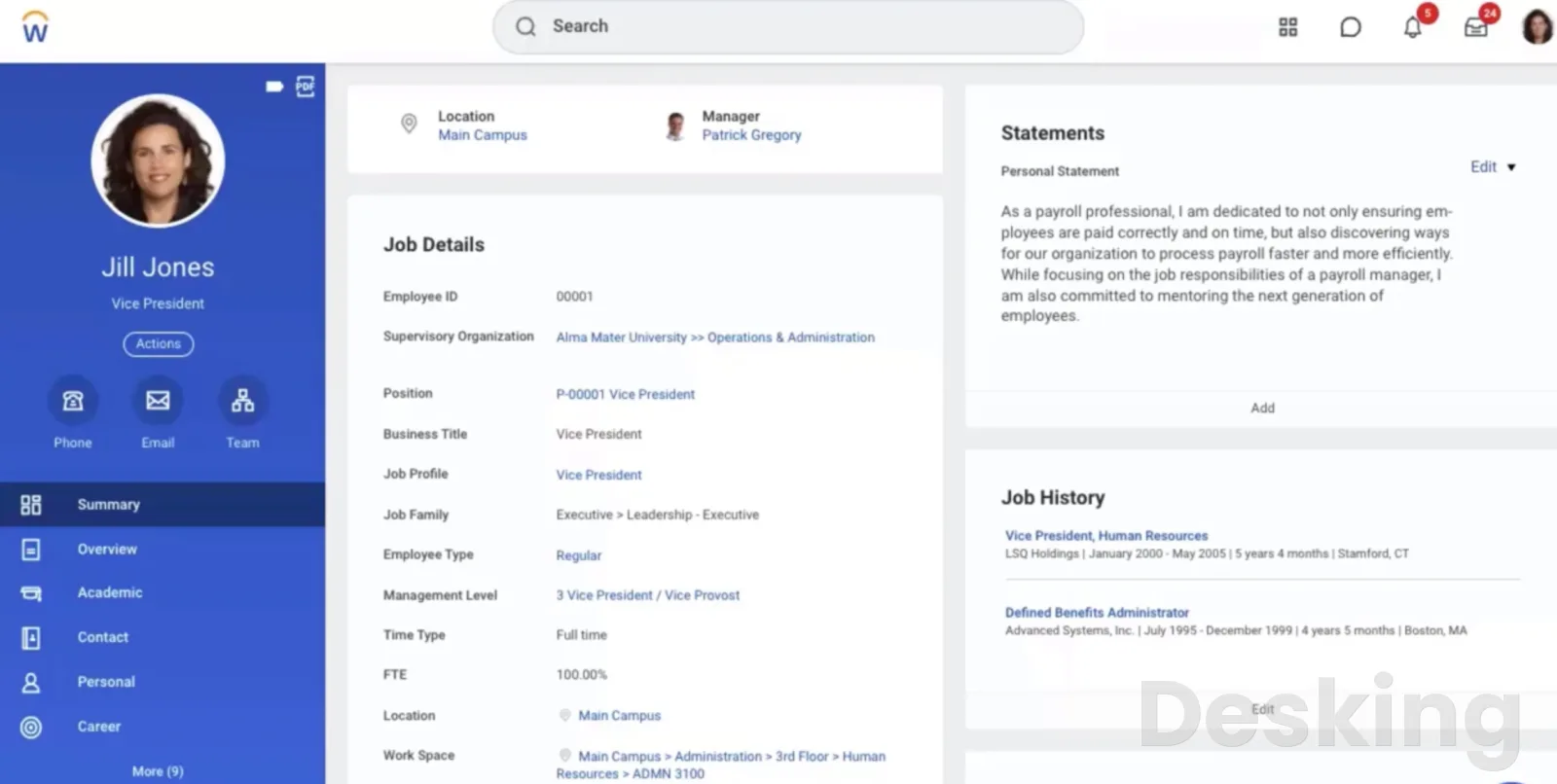
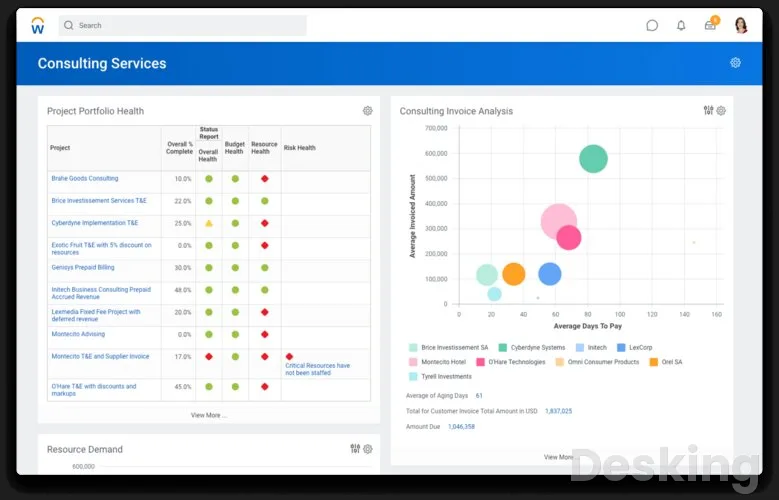
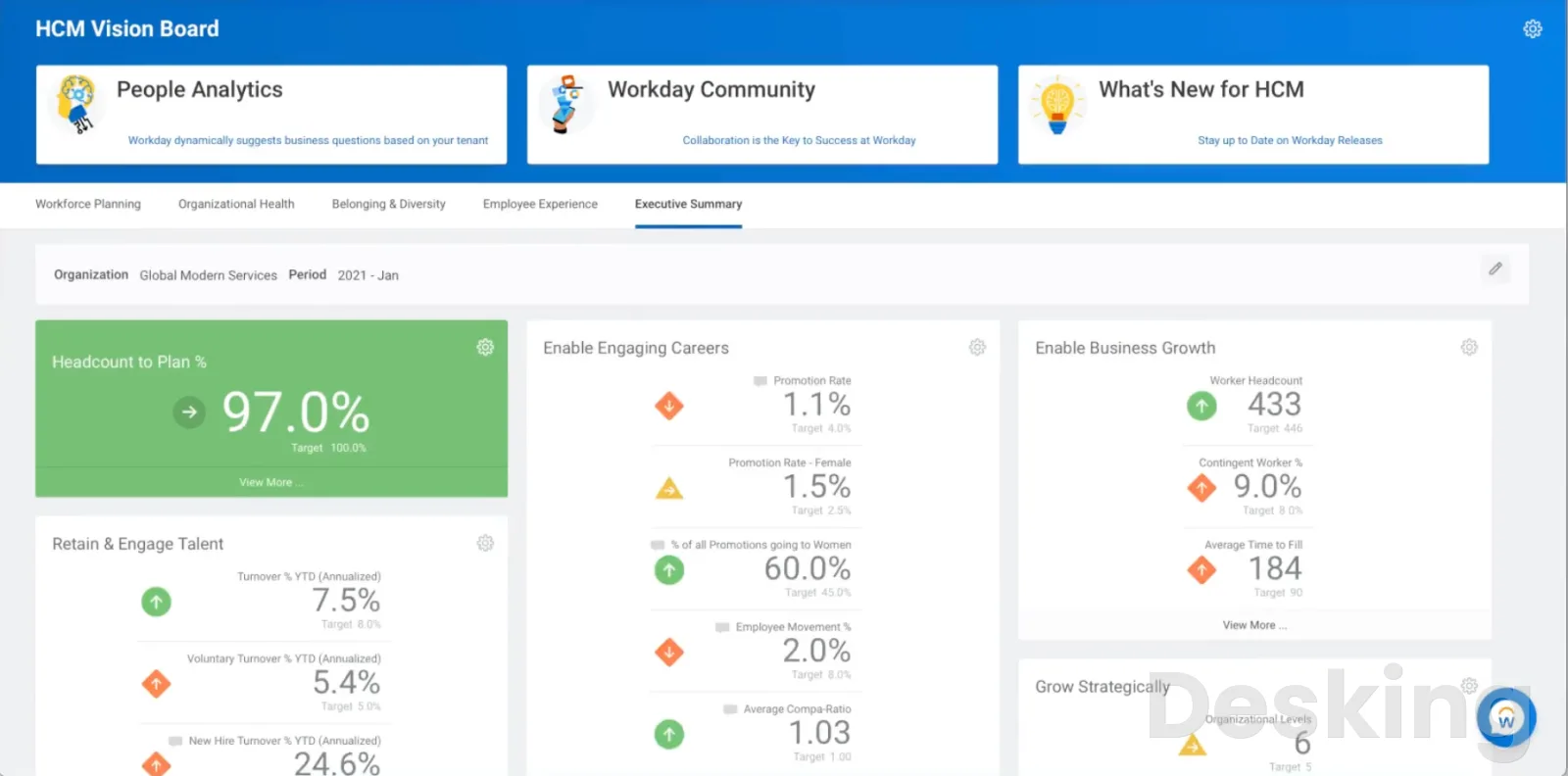
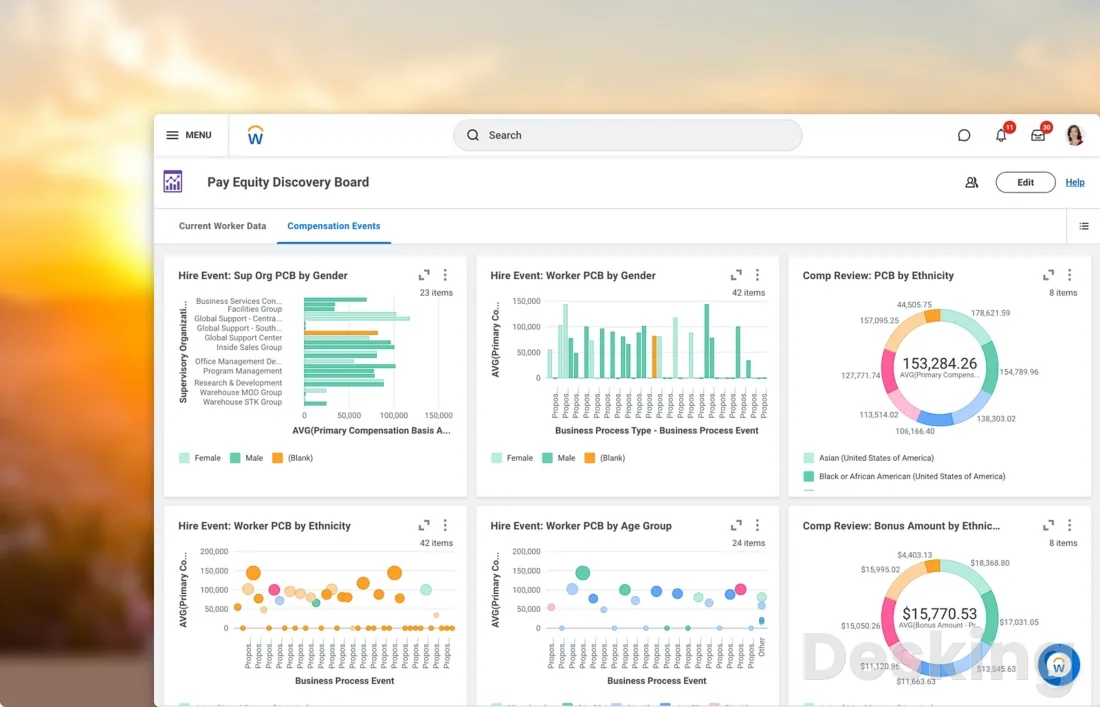
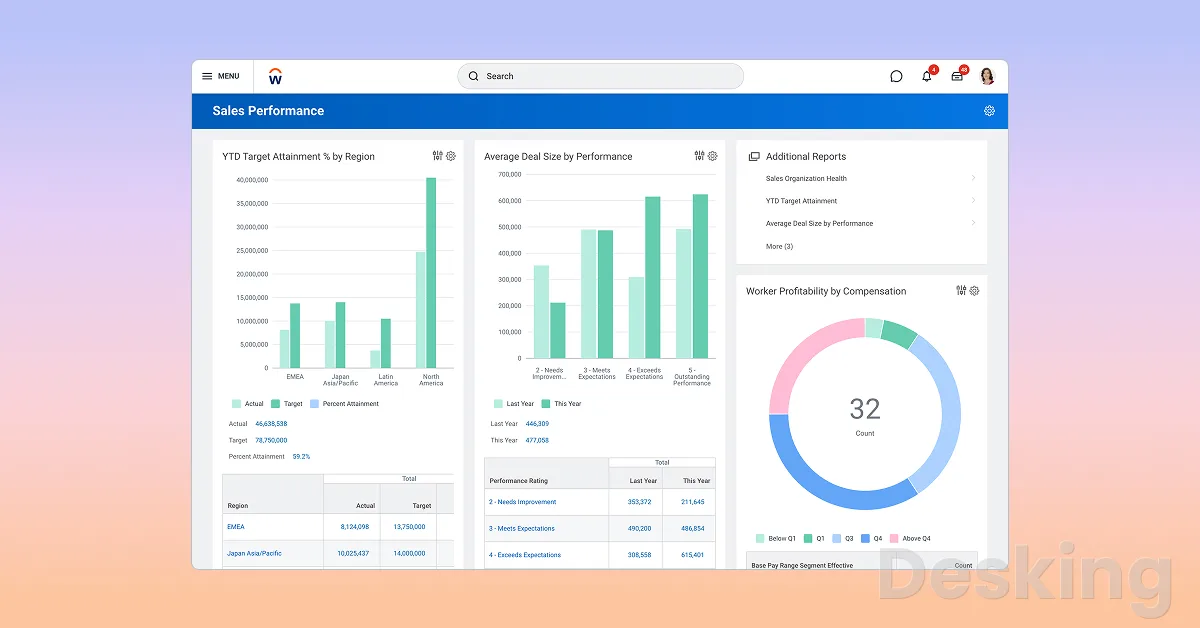
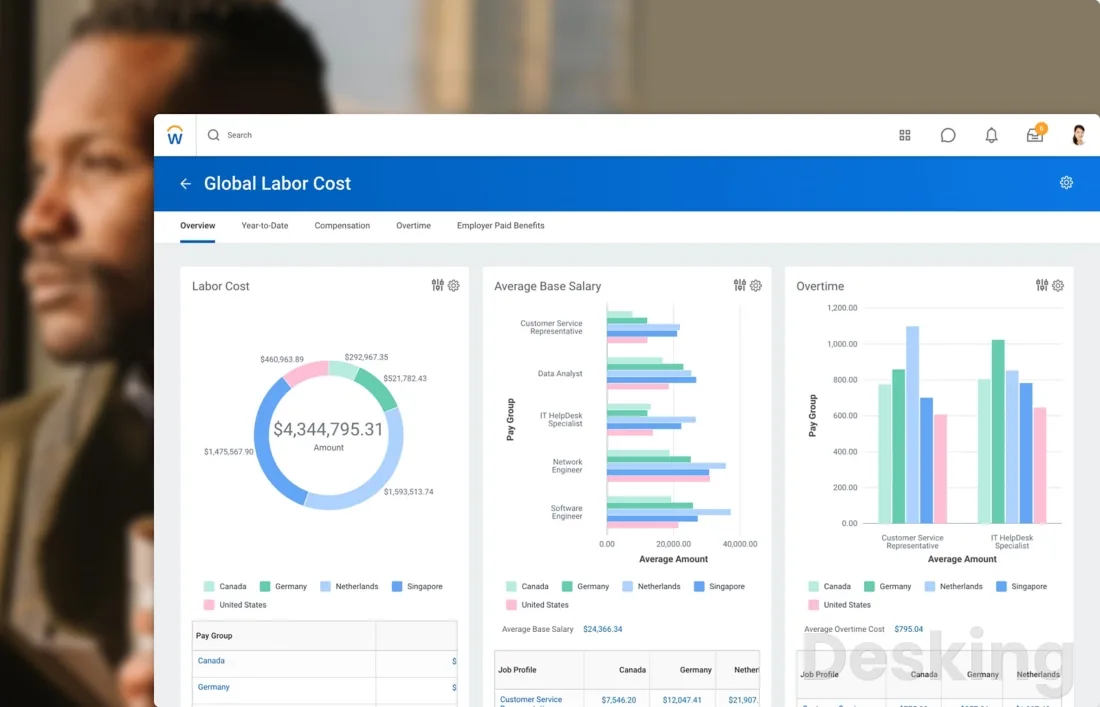
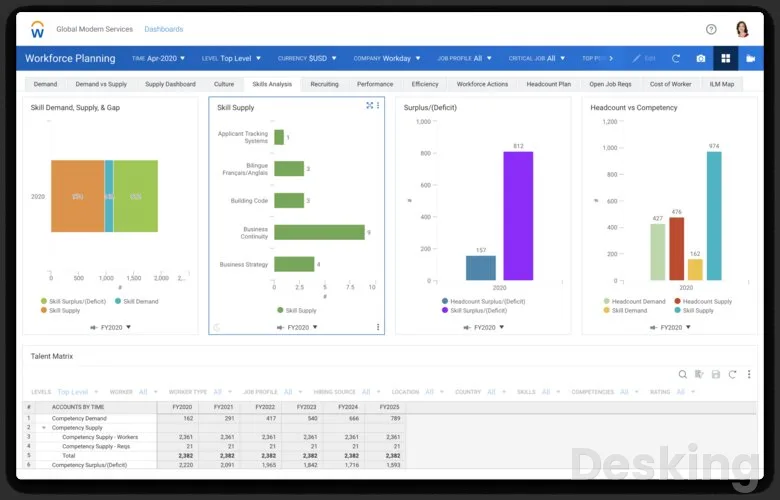
Table of contents
- 1. What Workday HCM does
- 2. Key features of Workday HCM
- 3. How the platform works
- 4. User experience and mobile access
- 5. Implementation and deployment
- 6. Integrations and technical fit
- 7. Security and compliance
- 8. Pricing and plans
- 9. Customer support
- 10. Workday HCM alternatives
- 11. Who should use Workday HCM
- 12. Pros and cons
- 13. Final buying assessment
- Frequently Asked Questions
Workday HCM is a cloud based human capital management platform for managing employee records, HR operations, payroll, recruitment, talent development and workforce planning across an organization.
It is developed by Workday, the enterprise software company founded in 2005 by Dave Duffield and Aneel Bhusri and headquartered in Pleasanton, California.
Workday HCM launched in 2006 as the company's first application.
Workday is now a publicly traded Fortune 500 company with more than 11,500 customers worldwide and fiscal 2026 revenue of $9.552 billion, including $8.833 billion in subscription revenue.
Its customer base spans financial services, healthcare, higher education, manufacturing, retail, technology and government.
The scale matters because this is not a small HR application that has gradually acquired enterprise features.
Workday was built around the requirements of large organizations, and its product architecture reflects that history.
The central argument in this review is that Workday's value comes from connecting workforce administration with the wider business structure.
Employee information, organizational hierarchies, compensation, skills, talent activity and workforce reporting can operate within the same platform.
That connection can make a material difference when a company has thousands of employees, several legal entities, multiple countries and frequent organizational changes.
It also creates a demanding implementation project.
Workday is not a sensible purchase simply because a company wants to replace spreadsheets or move employee records online.
It is a strategic HR system, and the buyer needs enough operational complexity to justify the cost of adopting and maintaining it.
Workday's corporate scale is relevant to the long term purchase decision.
The company reported more than $9.5 billion in revenue for fiscal 2026 and continues to invest in artificial intelligence, international expansion and enterprise applications.
It has also expanded its product portfolio through acquisitions, including Paradox and Sana.
In February 2026, co founder Aneel Bhusri returned as chief executive, a leadership change that coincided with Workday's stronger focus on AI and its role in managing both human workers and software agents.
These developments do not prove that every new capability is mature, but they indicate that Workday is investing in a product intended to remain central to enterprise HR technology.
For a buyer, the distinction is between buying an HR database and adopting an operating model for workforce administration.
Workday is closer to the second.
It can become the system through which employee changes are initiated, reviewed, approved, recorded and analyzed.
That is valuable when the organization has consistent processes and clear ownership.
It is less attractive when departments have highly fragmented practices, when management is unwilling to standardize workflows or when the company lacks the internal expertise to govern a major HR platform.
1. What Workday HCM does
Workday HCM manages the employee lifecycle through a shared cloud platform.
Its scope begins with core human resources, including worker records, job information, reporting relationships and organizational structures.
It extends into recruitment, onboarding, compensation, benefits, absence, learning, performance management and workforce management.
Analytics and reporting sit alongside these operational areas, allowing authorized users to examine workforce information without treating every department as a separate data environment.
The product is designed for organizations that need more than a directory of employees and a payroll export.
A personnel change can affect a worker's position, manager, compensation, security access, reporting structure and approval responsibilities.
Workday's business process framework is intended to coordinate these changes rather than leave each department to update a different system.
The result depends on configuration quality.
If the organization defines its approval rules, security groups and organizational data carefully, the system can enforce a consistent process.
If those foundations are poorly designed, the same platform can become difficult to administer.
Core human resources
Core HCM is the administrative foundation.
It stores employee information and the organizational context that determines how people relate to the business.
HR teams can manage worker profiles, employment details, job assignments, reporting relationships and changes to employment status.
Managers and employees can access permitted information through self service, reducing the need for HR staff to handle every routine request manually.
The practical value is not simply that employee information sits in one database.
It is that the information can be connected to the workflows that use it.
A transfer, promotion or manager change can be processed as a business event with defined approvals and downstream effects.
That reduces the number of separate updates an administrator must coordinate.
It also raises the importance of data governance.
An inaccurate supervisory organization or incorrectly assigned job profile can affect approvals and reporting beyond the individual record.
Organizational structures
Workday supports organizational structures that reflect how a business is arranged.
Supervisory organizations, positions, job profiles and related structures help represent reporting relationships and workforce responsibilities.
This matters in companies where employees report through several layers of management or where a worker's position has financial and operational consequences.
Organizational changes can be particularly demanding in large companies.
A restructuring may involve moving employees, changing managers, closing positions, creating new teams and updating approval responsibilities.
Workday's organizational tools are designed to handle these changes through controlled transactions rather than relying entirely on manual updates.
Administrators still need to define the rules and validate the resulting structure.
The platform does not remove the need for sound organizational design.
Business process framework
Workday's business process framework controls how important HR transactions move through the organization.
Administrators can configure steps, approvals, conditions, notifications and security requirements for processes such as hiring, compensation changes, transfers and termination.
The framework is one of the reasons Workday is suited to organizations with formal governance requirements.
The advantage is consistency.
A company can define which changes require manager approval, which require HR review and which need additional authorization.
The same process can be applied across departments, subject to the rules configured for different worker groups or entities.
The disadvantage is administrative complexity.
Business process design requires people who understand the company's HR policies and Workday's configuration model.
Poorly designed workflows can create unnecessary approval steps, delays and support requests.
Employee and manager self service
Employees can use Workday to view permitted personal information and complete routine HR tasks.
Depending on the organization's configuration and licensed capabilities, this can include updating personal details, reviewing payslips, checking leave balances, submitting time off requests and accessing employment documents.
Managers can handle tasks such as reviewing team information, approving requests and initiating selected employee changes.
Self service can reduce the administrative workload for HR, but it does not mean every employee interaction becomes effortless.
The available actions depend on permissions, country rules, worker type and configuration.
A company may choose to expose different functions to employees in different regions.
That flexibility is useful for complex organizations, although it can make the user experience less consistent if the deployment is not carefully designed.
2. Key features of Workday HCM
Workday's feature range is broad, but the important question is how the modules relate to one another.
The value of the suite is strongest when a company uses employee data across several HR functions.
Buying isolated capabilities without a plan for data ownership, workflow design and reporting can leave the organization with a costly system that is only partially adopted.
Talent acquisition
Talent Acquisition supports recruitment activities, from candidate management through hiring.
Recruiting teams can manage job requisitions, candidate information and hiring workflows while managers participate in the selection process.
The objective is to keep recruitment connected to the employee record that is created when a candidate becomes a worker.
That connection matters in large organizations with frequent hiring.
HR can maintain visibility over requisitions and candidate activity while reducing repeated data entry between recruitment and core HR.
The quality of the process still depends on the employer's recruitment design, integrations and adoption.
Workday should be evaluated against the company's actual hiring process, including agency involvement, assessment tools, career sites and regional requirements.
Onboarding
Onboarding connects the transition from candidate to employee with the administrative work required before and after the start date.
Tasks can be assigned to the new worker, HR, managers and other responsible departments.
Employee information can move into the relevant HR records rather than being recreated manually after recruitment.
For companies hiring at scale, this can improve consistency and make incomplete tasks easier to identify.
However, onboarding is not automatically a complete replacement for every specialist onboarding or identity management tool.
Buyers should check which tasks are handled natively, which require integrations and how local documentation requirements are supported in each country.
Talent management
Talent Management supports the processes used to assess employee performance, manage goals and develop talent.
HR and managers can work with performance information within the wider employee record.
This creates a connection between an employee's role, skills, development activity and career progression.
The benefit is strongest when performance management is part of a defined HR strategy.
Workday can support formal review cycles and related workflows, but the platform cannot make a weak performance culture effective.
If managers do not provide useful feedback or the company does not define meaningful objectives, the system will mainly record administrative activity.
Organizations should evaluate the quality of their performance framework before treating software configuration as the solution.
Compensation management
Compensation management supports salary and compensation processes, including planning and changes to employee pay.
HR teams can manage compensation structures and approval workflows, while managers can participate in permitted compensation decisions.
Because compensation information is connected to worker records, changes can be considered alongside job and organizational information.
For large employers, this can improve control over pay decisions and reduce the number of separate spreadsheets used for compensation cycles.
The implementation requires careful attention to access permissions, local compensation rules, approval levels and reporting.
Compensation is sensitive information.
A system with detailed security controls still needs a carefully governed security design.
Benefits administration
Benefits Administration supports the management of employee benefit programs and enrollment processes.
Its usefulness depends on the company's benefit structure, regional coverage and connections to external benefit providers.
Organizations with several countries or employment categories should confirm how their specific programs are supported before assuming that every benefit can be administered through one standard workflow.
The distinction between a benefits administration capability and a fully integrated benefits ecosystem is important.
Employers may still need external providers, local administrators or integrations for enrollment and eligibility information.
The buyer should map each benefit from eligibility through enrollment, payroll deduction and provider communication.
A feature list alone does not establish that the complete process is covered.
Absence management
Absence Management handles employee absence and leave processes.
Organizations can define absence types, eligibility rules and approval workflows, while employees can submit requests and review relevant balances where enabled.
HR and managers can use the resulting information to understand employee availability.
This function becomes more complex when a business operates across countries with different leave laws, public holidays and collective agreements.
Workday's configuration flexibility is useful, but the employer must validate local rules and maintain them as legislation changes.
A global company should test representative scenarios for every major jurisdiction rather than approving the system after checking only its headquarters' policies.
Workforce management
Workforce Management covers areas such as time tracking, scheduling and absence related workforce activity.
It is particularly relevant to employers with hourly workers, shift patterns or operational teams whose working time must be recorded accurately.
Workday's product direction also includes AI capabilities aimed at schedule changes, time tracking and shift swaps.
For a business with a large frontline workforce, this area deserves a separate evaluation from core HR.
The buyer should test clock in and clock out methods, time correction procedures, overtime rules, manager approvals, shift changes and payroll handoff.
Workday competes with specialist workforce platforms in this area, and a company with complex scheduling needs should compare operational depth rather than assume that a broad HCM suite will automatically outperform a dedicated workforce management product.
Payroll
Payroll is one of the most important areas to validate before purchase.
Workday supports payroll capabilities in selected markets and provides connections to payroll partners for broader international coverage.
Workday's global payroll approach includes local payroll options in more than 60 countries through Workday and partners, with partner integrations extending coverage across more than 180 countries.
The distinction is significant: a country supported through a partner connection is not necessarily a country in which Workday itself runs native payroll.
Payroll buyers should document every country, legal entity, currency, pay frequency, tax requirement and statutory reporting obligation.
They should also establish which organization owns each payroll process and how exceptions are handled.
A global payroll partner may be appropriate for a multinational company, but the operating model must be clear.
The existence of a partner integration does not mean that every payroll function is delivered by Workday.
Learning
Workday Learning supports employee learning and development activities.
Learning can be connected to employee profiles, skills information and talent processes.
This allows organizations to consider learning activity as part of workforce development rather than treating training records as an isolated administrative database.
The strategic benefit is more relevant to employers that actively manage internal mobility and skill development.
A company can use learning information alongside job requirements and workforce planning to identify development needs.
The platform still needs a useful learning catalog, relevant content and management support.
Without those elements, a learning module can become a repository of mandatory courses rather than a meaningful development tool.
Skills Cloud
Workday Skills Cloud uses an AI supported skills framework to map employee capabilities to roles and workforce requirements.
It can help HR teams understand the skills represented in the workforce and identify gaps between existing capabilities and future job needs.
The information can support talent decisions, learning priorities and workforce planning.
Skills data is only useful when it is credible.
Job descriptions, employee profiles and learning records need to be maintained, and the organization must decide how skills are identified and validated.
Buyers should ask how the system handles duplicate skill labels, outdated profiles and differences in terminology across business units.
Skills Cloud is a meaningful part of Workday's product strategy, but it should not be treated as an automatic inventory of employee capability.
Analytics and reporting
Workday provides analytics and reporting capabilities across its HCM environment.
HR teams can use workforce information to examine headcount, organizational changes, compensation, talent activity and other operational measures.
The ability to work with data from several HR functions is one of the platform's strongest advantages.
Reporting quality depends on the underlying data model and the user's ability to define the right report.
Reviewers frequently value access to reporting and payroll information, but complex reporting can require specialist knowledge.
Companies should identify their most important reports before implementation and build them into acceptance testing.
A successful go live should include evidence that HR, finance and management can obtain the information they need without relying on repeated manual exports.
Contingent workforce management
Workday includes a Vendor Management System capability for contingent workforce management.
This is relevant to companies that rely on contractors, temporary workers, staffing suppliers and other non permanent labor.
The objective is to manage contingent workforce activity alongside the wider workforce picture.
This can improve visibility where permanent employees and external workers contribute to the same operations.
It also raises questions about worker classification, supplier processes, contract data and regional compliance.
Companies should confirm whether their contingent labor model fits the system's capabilities and whether specialist vendor management processes require additional configuration or connected products.
Artificial intelligence and Sana
Workday's AI strategy has become a major part of its HCM direction.
The product includes AI agents aimed at recruitment, organizational development, workforce management and payroll, alongside Decision Intelligence and the Sana agentic experience.
These capabilities are intended to help users complete work through conversational interaction and automated task execution, while keeping actions grounded in organizational data and business rules.
The distinction between an AI assistant and an AI agent matters.
A conversational assistant may answer a question or summarize information.
An agent is intended to carry out a task, such as identifying missing payroll information or helping process a workforce change.
Workday's product direction is moving toward the second model, but buyers should not assume that every agent is available in every contract or ready for every workflow.
Availability, licensing, geography, configuration and human approval requirements must be confirmed during procurement.
AI agents for HR operations
The Talent Acquisition Agent is intended to support recruitment work.
The Organizational Development Agent focuses on organizational modeling and job architecture.
The Workforce Management Agent addresses scheduling, time tracking and shift changes, while the Payroll Agent is designed to validate payroll information, explain issues and recommend next steps with human oversight.
These agents are relevant because they target operational work rather than simply generating text.
However, an enterprise should evaluate them against specific workflows and measurable outcomes.
A payroll agent that identifies missing payment elections may be useful, but the organization still needs to understand what data it can access, which actions it can take and who approves changes.
AI governance should be part of the HCM implementation, not a separate project added after deployment.
The most sensible approach is to treat AI as an additional reason to shortlist Workday, not as the sole reason to buy it.
Core HR, payroll and talent processes must justify the platform independently.
The AI layer can then add value where the organization has clean data, well defined workflows and appropriate controls.
3. How the platform works
Workday's operating model is based on structured employee data, business processes and role based security.
A user does not simply edit any field on an employee record.
The system controls what the user can see, which actions are available and which approvals are required.
This is central to the product's enterprise appeal, particularly where HR transactions affect financial reporting, payroll and organizational accountability.
A typical employee change begins with an authorized user initiating a business process.
The process applies the configured conditions and approval steps.
Once approved, the relevant information is updated in the employee record and becomes available to permitted downstream processes and reports.
The exact workflow depends on the company's configuration, but the model gives administrators a way to formalize how changes are processed.
Security groups and permissions
Workday's security framework uses security groups, domains, business processes and functional areas to control access.
Administrators define which users can view data, initiate transactions, approve actions and run reports.
This is more detailed than assigning broad access based only on department membership.
The flexibility is useful, but it comes with responsibility.
A security design must reflect the organization's actual responsibilities and segregation requirements.
A manager may need access to information about direct reports but not compensation details for the entire company.
An HR specialist may need broader access to worker records but not permission to approve every transaction.
Those distinctions must be designed and tested rather than assumed.
Configuration and customization
Workday is configurable, but buyers should distinguish configuration from unrestricted customization.
Administrators can define business processes, security, organizational structures, reporting and other system behavior within the product's framework.
More specialized requirements may involve Workday Extend, integration work or partner services.
That approach can help preserve consistency across releases, but it may require organizations to adapt their processes to the platform's model.
Companies with highly unusual workflows should test those requirements before signing.
A vendor demonstration should show the actual transaction, including approvals, exceptions, reporting and downstream effects.
A polished presentation of the standard workflow is not sufficient evidence that a complex process can be supported.
Reporting across HR functions
Because Workday's HCM data is structured within a shared environment, reporting can draw on information from multiple HR processes.
This can help organizations connect headcount changes to compensation, recruitment, absence and workforce planning.
The value depends on data definitions being consistent across departments.
The risk is that a large reporting environment can become difficult to govern.
Different teams may create reports with similar names but different filters or business definitions.
The organization should establish report ownership, naming conventions, access controls and validation procedures.
A report catalog is useful only if users know which reports are approved for management decisions.
4. User experience and mobile access
Workday is used by several audiences with different expectations.
HR administrators need detailed controls, managers need approval and team information, and employees need quick access to personal tasks.
Those experiences are not identical, and the complexity of the underlying platform can be more visible to administrators than to employees completing routine actions.
Employee self service is one of the more consistent strengths reported by customers.
A reviewer on G2 described the value of having routine employee administration in one place:
Having routine employee self-service tasks in one central place made everyday personal admin much quicker during busy workweeks.
Verified reviewer on G2, finance and accounting work
This feedback captures the practical benefit of a shared employee portal.
Accessing payslips, checking leave balances and submitting time off requests can be simpler when those actions are available through one system.
It does not prove that every employee will find every workflow straightforward.
The experience depends on the organization's configuration and the frequency with which an employee uses the platform.
Mobile application
Workday provides mobile applications for employees and managers.
Supported tasks include viewing personal information, checking payslips, requesting time off and completing selected manager actions.
The exact functions depend on the employer's Workday configuration and the permissions assigned to the user.
Mobile access is useful for workers who do not spend their day at a desktop computer.
It can also help managers approve requests without waiting to return to an office workstation.
Companies should test the app with the devices and operating systems used by their workforce, including any device management or authentication requirements.
A mobile app does not guarantee that every administrative task can be completed comfortably on a small screen.
Navigation and learning curve
The main user experience concern is the number of menus, screens and steps that some processes require.
Workday is a large system, and employees who only use it occasionally may not remember where less common functions are located.
Administrators face a more demanding learning curve because they work with business processes, security and reporting.
A Capterra reviewer described this issue directly:
Sometimes the menus can be a little opaque so it takes some time to get used to where to find certain aspects.
Operations manager on Capterra
This is a meaningful limitation, but its impact differs by user type.
Employees who check payslips or request leave may learn their regular tasks quickly.
HR administrators and managers who handle infrequent or complex transactions need stronger training and documentation.
Buyers should evaluate common workflows with ordinary employees, not only with the implementation team.
Accessibility and adoption
Adoption should be measured by completed tasks and process quality, not simply by login counts.
A company may achieve high login activity while employees still rely on HR staff to resolve basic issues.
Useful measures include completion rates for employee data updates, time off requests, manager approvals and onboarding tasks.
Workday's range of configuration options can create different experiences across worker groups.
That flexibility is valuable in a multinational organization, but the company should avoid unnecessary variation.
A consistent set of employee tasks, clear navigation guidance and role specific training can reduce support demand.
The organization should also review the employee experience after major releases and configuration changes.
5. Implementation and deployment
Implementation is one of the largest buying considerations for Workday.
The product's enterprise scope means that a project usually involves more than importing employee records and switching on a portal.
It can require data migration, organizational design, security configuration, business process mapping, integrations, payroll validation, report development, testing, training and change management.
G2's Fall 2026 Core HR data reports an average of 6.1 months for Workday HCM to go live.
The same dataset indicates that 35% of implementations involved an in house team, 33% involved third party consultants and 17% involved Workday's Seller Services team.
The average is a useful planning benchmark, not a promise.
The actual schedule depends on the number of modules, countries, legal entities, integrations and the quality of the source data.
Implementation timelines
Workday's deployment options include Launch Now, Launch Express and Launch Flex.
Workday's stated target windows are 10 to 16 weeks for Launch Now, 10 to 20 or more weeks for Launch Express and as few as 27 weeks for Launch Flex.
These are vendor deployment benchmarks for different implementation approaches, not a guarantee that every customer will go live within those periods.
The G2 average of 6.1 months is a more useful external reference for planning a typical project, although it also hides substantial variation.
In G2's reported timeframe data, 37% of reviewers who provided a go live timeframe took six months or longer.
Some projects took more than a year.
The buyer should therefore build a schedule around the actual scope rather than selecting the shortest vendor benchmark as the project commitment.
Implementation workstreams
A serious Workday project should be divided into workstreams with clear ownership.
The following sequence provides a practical structure for a typical HCM deployment:
- Confirm the project scope by identifying the countries, legal entities, employee populations, modules and processes included in the first release.
- Document the current HR operating model and decide which processes should be standardized before they are configured in Workday.
- Map employee, job, position, organization and compensation data from the existing systems, then define data ownership and correction procedures.
- Design the security model by identifying the users, security groups, access domains and approval responsibilities required for each business process.
- Configure the core HR processes and validate hiring, transfers, promotions, compensation changes, leave and termination scenarios.
- Build and test integrations with payroll providers, identity systems, finance applications, benefits administrators and other required services.
- Reconcile migrated data and test reports, payroll outputs, access permissions and approval paths with representative business users.
- Train HR administrators, managers and employees according to their roles, then prepare support procedures for the first weeks after launch.
- Run the go live readiness review, resolve critical defects and obtain approval from the business owners responsible for each workstream.
- Monitor transaction errors, user adoption, support demand and payroll accuracy after launch, then prioritize improvements based on actual operating results.
The most important step is often the work that takes place before configuration.
Companies that have inconsistent job titles, duplicate employee records, unclear approval ownership or different definitions of organizational units will carry those problems into the new platform unless they resolve them first.
Workday can enforce a defined operating model, but it cannot decide what that model should be on behalf of the company.
Data migration
Data migration should be treated as a business control exercise rather than a technical file transfer.
The organization needs to decide which historical records must be retained, which fields are authoritative and how discrepancies will be resolved.
Employee records, compensation history, job data, leave balances and organizational relationships may have different source systems and owners.
A migration can appear successful because the records load without errors, while still producing unreliable reporting.
For example, inconsistent job codes or incorrect supervisory relationships can affect headcount reports and approval routing.
The project should include reconciliation checks, sample employee validation and sign off from HR data owners.
Historical data that is not needed in the new platform should be retained according to the company's legal and records management requirements.
Change management
Workday changes the way people complete HR transactions.
Managers may need to approve actions through a defined workflow rather than sending an email.
Employees may be expected to update personal information themselves.
HR administrators may move from manual processing toward exception handling and system governance.
That transition needs communication and training.
A company should identify the tasks that employees and managers will perform most often, then provide concise guidance for those workflows.
Training should also explain what happens when a request is rejected, returned or sent for additional approval.
If users do not understand the process, they may create duplicate requests or contact HR to complete tasks that the system was intended to handle.
6. Integrations and technical fit
Workday is not intended to operate in isolation.
Enterprise HR systems usually exchange information with payroll providers, finance platforms, identity management services, benefits administrators, recruitment tools and reporting environments.
The integration strategy can determine whether the platform becomes the central HR system or another application that requires manual reconciliation.
Payroll integrations
Payroll integration is particularly important for multinational employers.
Workday supports its own payroll capabilities in selected markets and partner integrations for wider country coverage.
The buyer should map the exact payroll provider and process for each country, including which system calculates pay, which system owns employee data and how payroll results return to HR or finance.
A partner connection should not be treated as equivalent to native payroll.
The service agreement, implementation responsibility, support model and data ownership may differ.
Companies should test new hires, terminations, compensation changes, bank detail updates, leave and retroactive adjustments through the complete payroll cycle.
The critical question is whether the integration handles the company's actual exceptions, not whether the two products appear in a partner directory.
Finance and enterprise systems
Workday's broader product portfolio includes Financial Management and planning applications.
Organizations using several Workday products may benefit from a more connected data environment.
Companies using another ERP platform will need to assess how employee, cost center, position and payroll information moves between systems.
The integration design should specify the direction and frequency of data exchange.
A company must know whether Workday or the ERP system owns each data element.
If both systems allow users to update the same field, conflicts can occur.
The integration architecture should prevent duplicate ownership and provide monitoring for failed transactions.
Integration tools and APIs
Workday supports integration options for connecting external applications and services.
Its integration ecosystem includes packaged connections, partner integrations and tools for more tailored data exchange.
Workday Extend can also be used to build applications within the Workday environment.
The presence of an API does not eliminate integration work.
Technical teams still need to manage authentication, data mapping, error handling, monitoring and changes to connected systems.
Before procurement, the buyer should create an integration inventory that includes system owner, data exchanged, frequency, security requirements and business impact if the connection fails.
This is especially important for payroll and identity systems, where a delayed or incorrect transaction can affect employees directly.
7. Security and compliance
Workday's security model is built around controlled access to enterprise data.
Administrators can define security groups and permissions for business processes, reports and worker information.
The platform also supports enterprise security and compliance requirements, including independent audit reports and certifications such as SOC 1 Type II, SOC 2 Type II and ISO 27001 related standards.
The existence of certifications is useful evidence, but it is not a substitute for the customer's own security assessment.
Buyers should review the relevant reports, confirm which services and environments are covered and examine the contractual responsibilities for data protection.
They should also establish how employee information is handled across regions, particularly where data residency and local privacy rules apply.
Role based access
Role based access is one of Workday's important controls.
It allows organizations to separate the ability to view employee information from the ability to initiate or approve transactions.
That distinction matters for compensation, payroll, personal data and sensitive HR cases.
The configuration can be complex.
A G2 reviewer described the security model as powerful but requiring specialist knowledge to configure and maintain.
This is a practical warning for organizations with limited HRIS resources.
Workday should have named security owners, documented role definitions and a regular access review process.
Permission changes should be tested when employees move between roles or leave the company.
Audit and compliance
Workday's compliance documentation includes independent audit reports and certifications used by enterprise procurement and security teams.
These can support vendor risk assessment, but organizations still need to evaluate their own configuration, integrations and administrative practices.
A secure platform can be weakened by excessive permissions, poorly managed service accounts or incomplete offboarding procedures.
The buyer should ask for the documentation required by its security team before contract signature.
This includes the relevant audit reports, certification scope, data processing terms, incident notification commitments and details of subcontractor responsibilities.
The company should also confirm how security issues are escalated and which support channels are available to its administrators.
AI governance
AI introduces additional questions about data access, automated recommendations and actions performed by agents.
Organizations should establish which information an AI feature can use, what actions it can initiate and where human approval is required.
Payroll and employee data deserve particular care because mistakes can have direct financial and legal consequences.
Workday's AI agents are designed to operate within business rules and maintain human oversight for selected tasks.
Buyers should nevertheless validate the exact control model for every agent they intend to deploy.
A procurement team should request clear documentation covering data use, permissions, auditability, model behavior and the ability to disable or restrict individual capabilities.
AI should be approved as a governed enterprise function, not enabled simply because it is included in a product demonstration.
8. Pricing and plans
Workday HCM uses custom enterprise pricing.
It does not publish a standard per employee monthly price or a public tier structure that allows a buyer to calculate the subscription cost from a website.
Pricing depends on the products selected, workforce size, contract terms, services and deployment requirements.
A buyer therefore needs a formal proposal before comparing the total cost with another HCM platform.
The absence of public pricing makes early budgeting harder.
It also means that two organizations using the Workday name may have materially different contracts.
One may purchase core HR with a limited set of modules, while another may include payroll, talent, workforce management, analytics and additional services.
The following table reflects the public commercial structure: a custom enterprise quote rather than invented tiers.
| Pricing item | Workday HCM |
|---|---|
| Monthly subscription price | Custom quote |
| Annual billed price | Custom quote |
| Billing unit | Contract specific |
| Free plan | No |
| Public employee limit | Not published |
| Core HR | Available by contract |
| Talent management | Available by contract |
| Talent acquisition | Available by contract |
| Workforce management | Available by contract |
| Payroll | Available by market and contract |
| Analytics and reporting | Available by contract |
| Vendor Management System | Available by contract |
| AI capabilities | Availability and licensing vary |
| Support and services | Contract specific |
This structure is less convenient than a product with public pricing, but it is common among large enterprise HCM platforms.
The buyer should not treat the lack of a public price as proof that Workday is more expensive than every competitor.
It does mean that procurement must obtain a detailed quote and compare the same scope across vendors.
The subscription fee alone is not a reliable measure of total cost.
Additional costs
Implementation and ongoing ownership can represent a substantial part of the financial commitment.
Workday's implementation options vary by scope, while customers may also need consultants, data migration support, integration development, training and internal HRIS resources.
These costs are not represented by a public standard price.
| Cost area | Public price | What the buyer should confirm |
|---|---|---|
| Workday HCM subscription | Custom quote | Modules, employee metric and contract term |
| Launch Now services | Custom quote | Included scope and configuration limits |
| Launch Express services | Custom quote | Additional products and integration scope |
| Launch Flex services | Custom quote | Tailored requirements and project responsibilities |
| Third party implementation partner | Partner quote | Consultant rates, deliverables and change requests |
| Data migration | Project specific | Source systems, history and reconciliation work |
| Integration development | Project specific | Number of connections and monitoring responsibilities |
| Training and change management | Project specific | Admin, manager and employee training |
| Payroll partner services | Partner quote | Country coverage and payroll responsibilities |
| Ongoing administration | Internal cost | HRIS staffing, security and reporting ownership |
The table should be used as a procurement checklist, not as a substitute for a quote.
Workday's deployment model can reduce implementation time when the organization accepts a narrower, preconfigured scope.
A more tailored project may require additional consulting and testing.
The company should ask for a clear statement of included deliverables, assumptions, exclusions and the commercial treatment of change requests.
Cost by organization size
Because Workday does not publish a standard per employee price, it is not possible to calculate a reliable monthly subscription total for a 500, 1,000 or 5,000 employee company.
The same limitation applies to implementation fees.
A buyer should avoid third party estimates that present a single price without explaining the contract scope and geography.
| Organization size | Subscription estimate | Main cost drivers |
|---|---|---|
| 500 employees | Custom quote | Modules, payroll scope and implementation |
| 1,000 employees | Custom quote | Entities, integrations and reporting |
| 5,000 employees | Custom quote | Countries, security and workforce complexity |
| 10,000 employees | Custom quote | Global deployment and operating model |
The useful comparison is not simply price per employee.
A company should calculate the five year cost of ownership, including subscription, implementation, integration maintenance, internal HRIS staffing, training and any payroll partner services.
It should also estimate the cost of keeping legacy systems during a phased deployment.
Workday may be financially sensible when it replaces several overlapping systems, but less attractive when the organization only needs a basic HR database.
Procurement questions
A Workday proposal should identify every module, service and country included in the commercial scope.
Buyers should also ask which features require separate licensing, how AI capabilities are priced, what happens when headcount changes and whether the contract has minimum commitments.
These details are more useful than a headline discount.
The contract should also define implementation responsibilities.
If a partner is delivering the deployment, the buyer needs to know which tasks belong to Workday, which belong to the partner and which remain with the customer's internal team.
The project plan should include acceptance criteria for data migration, payroll validation, security, integrations and reporting.
A low subscription price can become an expensive purchase if those responsibilities are unclear.
9. Customer support
Workday's support model is designed for enterprise customers and is tied to the customer's contract and support arrangements.
Organizations should confirm the support services included, the escalation process, available service levels and whether implementation partners will remain involved after go live.
Public information does not establish one universal support package that applies to every customer.
This is important because Workday is not a system that most large organizations can administer casually.
Complex business processes, security configuration and integrations require specialist knowledge.
A company should plan for internal HRIS ownership and establish a support model that covers both technical incidents and functional questions.
Relying entirely on an external consultant for everyday administration can create delays and increase long term cost.
Customer feedback is mixed rather than uniformly negative.
Some reviewers praise knowledgeable support and centralized customer service, while others describe a need for specialist expertise to manage the platform.
That is consistent with the product's scale.
The support experience is likely to depend on the customer's contract, the complexity of its configuration and the quality of its internal administrators.
10. Workday HCM alternatives
Workday competes with several enterprise HCM suites, but the best alternative depends on the company's existing systems and workforce requirements.
SAP SuccessFactors and Oracle Fusion Cloud HCM are the closest broad enterprise competitors.
UKG Pro is particularly relevant where payroll and workforce management are major priorities.
Comparing these products only by feature count misses the differences in architecture, implementation and operating focus.
| Platform | Starting price | Free plan | Main strength | Main limitation |
|---|---|---|---|---|
| Workday HCM | Custom quote | No | Unified HCM and workforce planning | Complex implementation and pricing |
| SAP SuccessFactors | Custom quote | No | SAP ecosystem and global HR | Modular architecture and integration work |
| Oracle Fusion Cloud HCM | Custom quote | No | Oracle enterprise application alignment | Broad suite complexity |
| UKG Pro | Custom quote | No | Payroll and workforce management | Less emphasis on unified finance planning |
The table reflects the enterprise commercial position rather than a claim that every vendor has identical licensing.
Exact prices depend on the products and contract.
The decision should be based on the company's ERP environment, payroll footprint, workforce model and implementation capacity.
SAP SuccessFactors
SAP SuccessFactors is a strong alternative for organizations already committed to SAP applications.
Its Employee Central product supports core HR, while other SuccessFactors modules address talent, learning, recruiting and related HR functions.
For companies with a significant SAP ERP and S/4HANA footprint, the wider SAP ecosystem can be a deciding factor.
Workday can be attractive when the buyer wants a unified cloud HCM model with workforce planning and analytics.
SuccessFactors may be the more natural choice when SAP integration, existing skills and enterprise architecture dominate the decision.
The buyer should compare the specific integration requirements and the degree of process standardization each platform will require.
A company should not select Workday simply because it appears more unified if its finance and operational systems are already deeply tied to SAP.
Oracle Fusion Cloud HCM
Oracle Fusion Cloud HCM is another direct enterprise competitor.
It is relevant to companies that use Oracle Fusion applications or want HCM closely aligned with Oracle's wider enterprise software environment.
Its product range covers core HR and several adjacent workforce functions.
The strongest reason to shortlist Oracle is architectural fit.
If finance, ERP and other enterprise applications already run on Oracle, the buyer may prefer to keep the HCM investment within that ecosystem.
Workday may be preferable where the company wants a dedicated cloud HCM operating model with strong workforce planning and skills capabilities.
Both platforms require serious implementation planning, so the buyer should compare the actual deployment approach rather than assume either will be quick.
UKG Pro
UKG Pro is particularly relevant to employers with substantial frontline workforces and demanding payroll, timekeeping and scheduling requirements.
Its workforce management focus can make it a stronger fit for companies where shift coverage, labor rules and time data are central to daily operations.
Workday has a broader story around workforce planning, talent and enterprise HR data.
UKG may be the better choice when operational scheduling and payroll are the primary requirements.
A manufacturer, retailer or healthcare provider should test the systems against real shift patterns, overtime rules, time corrections and payroll exceptions.
The platform that handles those scenarios most effectively may be more valuable than the one with the longer list of adjacent HR modules.
Choosing between the platforms
The following decision guide is more useful than a general ranking:
- Choose Workday when the organization needs a connected enterprise HCM platform and has the internal resources to implement and govern it.
- Choose SAP SuccessFactors when SAP architecture and integration are central to the company's enterprise systems.
- Choose Oracle Fusion Cloud HCM when the organization is standardized on Oracle applications and wants HCM aligned with that environment.
- Choose UKG Pro when payroll, timekeeping, scheduling and frontline workforce operations carry the greatest weight.
A company should shortlist no more than three platforms for a detailed evaluation.
Each vendor should receive the same employee scenarios, payroll cases, reporting requirements and integration inventory.
The buyer should then score the results against a common set of criteria.
This prevents a polished demonstration from determining a decision that will affect HR operations for years.
11. Who should use Workday HCM
Workday is best suited to large and upper midmarket organizations with complex HR requirements.
Companies with multiple legal entities, international operations, formal approval structures and significant reporting needs are more likely to benefit from its breadth.
It is also relevant to organizations that want to connect HR data with financial planning and workforce decisions.
The platform is less compelling for a small company with straightforward employee administration.
A business with a limited HR team and a relatively stable workforce may not need Workday's configuration depth.
It may be better served by a simpler HR platform with transparent pricing and a shorter implementation.
Paying for enterprise capability that the organization will not use is not a sound technology strategy.
Large multinational companies
Multinational employers are among the strongest candidates.
They may need to manage different worker types, legal entities, currencies, policies and payroll arrangements while maintaining group level reporting.
Workday's organizational and security structures can help represent those differences within one platform.
The buyer must still validate local requirements.
Global coverage is not the same as native payroll or full statutory support in every country.
The organization should map its payroll partners, local HR rules, data residency obligations and language requirements before procurement.
Workday is a strong candidate where the company can standardize core processes while allowing necessary regional variation.
Complex enterprise HR departments
Organizations with several HR teams and formal governance requirements can benefit from Workday's business process framework.
It can help establish consistent rules for hiring, transfers, compensation changes and other transactions.
The shared employee data model can also improve reporting across departments.
The cost is a greater need for governance.
These companies should have an HRIS team or a clearly assigned group of administrators responsible for configuration, security, reporting and release management.
Without that ownership, the platform can become dependent on external consultants for routine changes.
Workday should be purchased with a long term operating model, not simply an implementation budget.
Companies consolidating HR systems
Workday can be a good candidate for businesses replacing disconnected HR applications.
If employee data, recruitment, talent processes and reporting are spread across several systems, consolidation may reduce duplicate administration and improve consistency.
The business case is strongest when the organization can retire existing applications rather than merely add Workday alongside them.
Migration planning is essential.
Some legacy systems may contain historical information or specialist workflows that the organization still needs.
The company should decide which applications will be retired, which will remain integrated and which records will be archived.
The financial case should include the cost of maintaining those systems during transition and the savings expected after retirement.
Smaller employers
Smaller employers should be cautious.
A Capterra reviewer who identified as a CEO described the cost and complexity of implementation, training and ongoing subscriptions as a concern for smaller businesses.
That criticism is consistent with Workday's enterprise positioning and custom pricing model.
A smaller company may still have a legitimate reason to choose Workday, particularly if it is part of a larger group or expects substantial organizational complexity.
But the decision should be based on requirements rather than brand recognition.
If the business mainly needs employee records, leave requests and basic payroll coordination, a lighter HR platform may offer a better balance of cost and administration.
12. Pros and cons
Workday's strengths are concentrated in enterprise scale, process governance and the ability to connect HR activities.
Its weaknesses are equally clear: price transparency is poor, implementation requires significant effort and the system can be difficult for occasional users and administrators.
Pros
- Shared employee data across HR
- Extensive enterprise workflow configuration
- Detailed role based security controls
- Strong organizational structure management
- Connected talent and skills information
- Broad workforce management capabilities
- Payroll options across selected markets
- Global payroll partner ecosystem
- Built in workforce reporting capabilities
- Employee and manager self service
- Mobile access for common tasks
- AI agents for HR operations
- Support for complex enterprises
- Established enterprise software vendor
Cons
- No public subscription price
- No free plan for evaluation
- Implementation often takes several months
- Complex security administration requirements
- Reporting may require specialist expertise
- Navigation can frustrate occasional users
- Payroll coverage varies by country
- Partner integrations add coordination work
- Smaller employers may overbuy capabilities
- Training demands can be substantial
- Configuration decisions affect many processes
- Total ownership cost is difficult
- AI availability varies by contract
- Implementation depends on data quality
13. Final buying assessment
Workday HCM is a serious enterprise platform, not a default HR purchase for every growing business.
Its strongest case is an organization that needs to coordinate complex employee data and formal HR processes across multiple departments or countries.
The shared data model and business process framework can justify the implementation effort when the company will use several parts of the suite.
The most important objection is cost and complexity.
That objection is valid, and buyers should not dismiss it.
G2's implementation data places the average time to go live at 6.1 months, while customer feedback highlights navigation, specialist administration and reporting effort.
A company without an internal HRIS owner should include that resource requirement in the financial case.
It should also avoid treating Workday's AI roadmap as a substitute for a clear HCM business case.
The purchase should begin with a documented operating model.
Define the employee populations, countries, payroll responsibilities, approval processes, reports and integrations that must be supported.
Then compare Workday with SAP SuccessFactors, Oracle Fusion Cloud HCM and UKG Pro using the same scenarios.
If Workday is selected, negotiate a clear statement of subscription scope, implementation deliverables, support obligations and future module costs.
Price as listed by the vendor when we checked. It can change, so confirm it on the official page.
Key features
- Core human resources management
- Employee records and profile management
- Supervisory organization structure management
- Business process approval framework
- Job architecture and position management
- Workday Skills Cloud intelligence
- Talent acquisition and recruiting
- Candidate management and hiring workflows
- Employee onboarding task management
- Performance and goal management
- Compensation planning and administration
- Benefits enrollment and administration
- Absence and leave management
- Workforce scheduling and time tracking
- Payroll management and partner integrations
- Workday Learning administration
- Contingent workforce vendor management
- Workforce analytics and reporting
- Role based security administration
- Employee and manager self service
- Workday mobile application access
- Sana agentic AI experience
- Talent Acquisition AI Agent
- Organizational Development AI Agent
- Workforce Management AI Agent
- Payroll Agent workflow assistance
- Decision Intelligence workforce recommendations
- Workday Extend application development
Pros & cons
Pros
- Shared employee data across HR
- Extensive enterprise workflow configuration
- Detailed role based security controls
- Strong organizational structure management
- Connected talent and skills information
- Broad workforce management capabilities
- Payroll options across selected markets
- Global payroll partner ecosystem
- Built in workforce reporting capabilities
- Employee and manager self service
- Mobile access for common tasks
- AI agents for HR operations
- Support for complex enterprises
- Established enterprise software vendor
Cons
- No public subscription price
- No free plan for evaluation
- Implementation often takes several months
- Complex security administration requirements
- Reporting may require specialist expertise
- Navigation can frustrate occasional users
- Payroll coverage varies by country
- Partner integrations add coordination work
- Smaller employers may overbuy capabilities
- Training demands can be substantial
- Configuration decisions affect many processes
- Total ownership cost is difficult
- AI availability varies by contract
- Implementation depends on data quality
Who makes Workday HCM
Desking App is an independent publication. We are not the developer or publisher of Workday HCM and we never collect personal or payment details for it. Sign up and pay only on the official site.
Workday HCM is available on
3 platformsWorkday HCM specs
- Core human resources management
- Employee records and profile management
- Supervisory organization structure management
- Business process approval framework
- Job architecture and position management
- Workday Skills Cloud intelligence
- Talent acquisition and recruiting
- Candidate management and hiring workflows
- Employee onboarding task management
- Performance and goal management
- Compensation planning and administration
- Benefits enrollment and administration
- Absence and leave management
- Workforce scheduling and time tracking
- Payroll management and partner integrations
- Workday Learning administration
- Contingent workforce vendor management
- Workforce analytics and reporting
- Role based security administration
- Employee and manager self service
- Workday mobile application access
- Sana agentic AI experience
- Talent Acquisition AI Agent
- Organizational Development AI Agent
- Workforce Management AI Agent
- Payroll Agent workflow assistance
- Decision Intelligence workforce recommendations
- Workday Extend application development
Our verdict
Workday HCM earns 8.7 out of 10 for large enterprises that need connected HR operations and workforce planning. Buy it when several modules will be used and an HRIS team can own the system. SAP SuccessFactors suits SAP centric companies better. Request a scoped enterprise proposal before committing.
Get StartedFrequently Asked Questions
What is Workday HCM used for?
How long does Workday HCM implementation take?
Does Workday HCM include payroll?
How does Workday Skills Cloud work?
How are Workday security permissions managed?
Can Workday HCM connect to other payroll systems?
Does Workday HCM have a free version?
Is Workday HCM suitable for a small business?
Reader reviews
Be the first to review