Xero Review 2026: Accounting Tools Built for Better Control
By Evander Thorne & Eva Elekcha · Reviewed by Noura Mint Ely
Xero is a cloud accounting platform aimed at small and growing businesses, combining invoicing, bank reconciliation, expense management, financial reporting, and integrations with other business applications. Its U.S. plans currently range from $27 to $97 per month at regular listed prices, with payroll offered through Gusto as an additional service. The platform is a strong option for businesses that value collaborative accounting and automation, although subscription limits and add-on costs should be considered before choosing a plan.
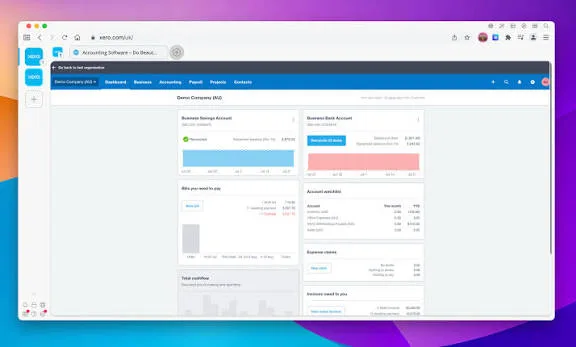
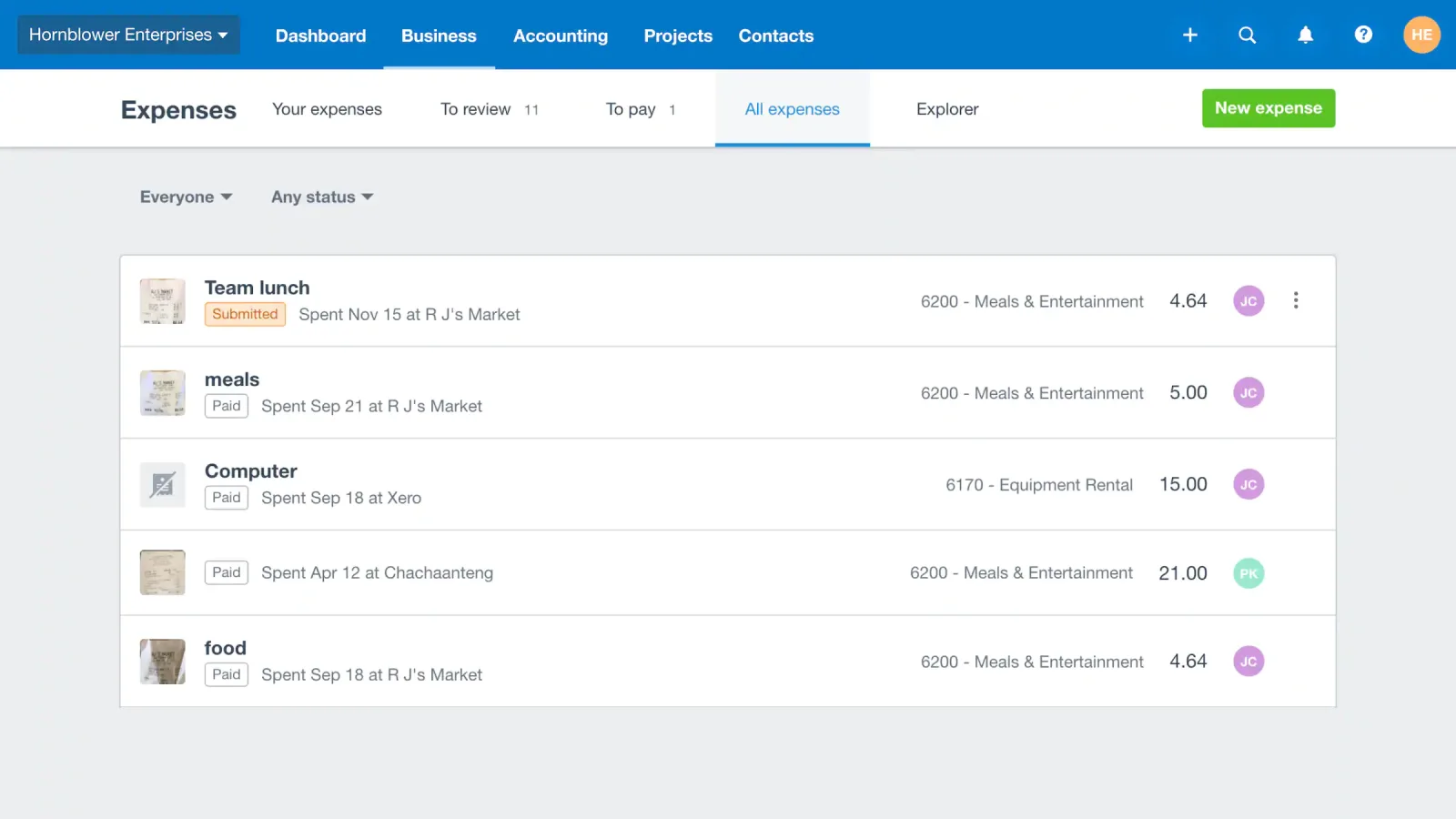
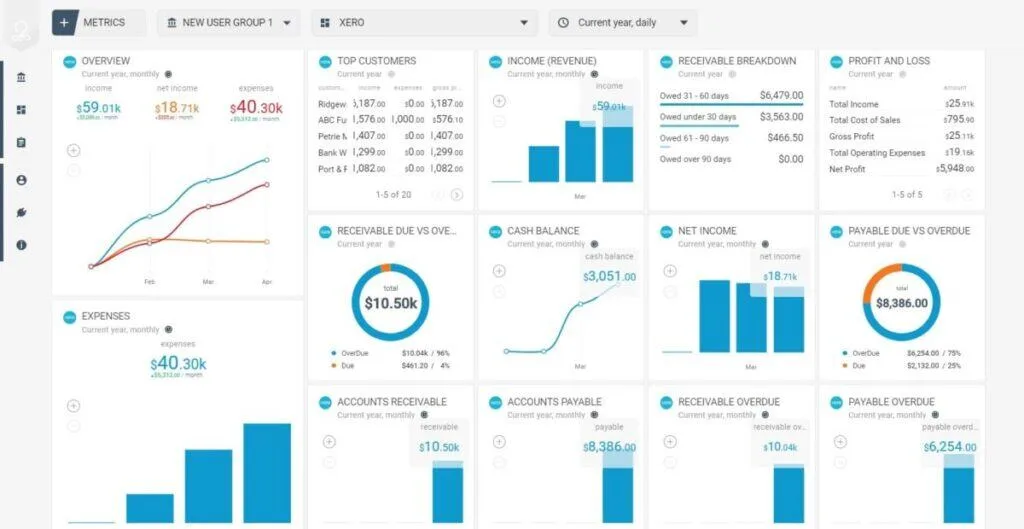
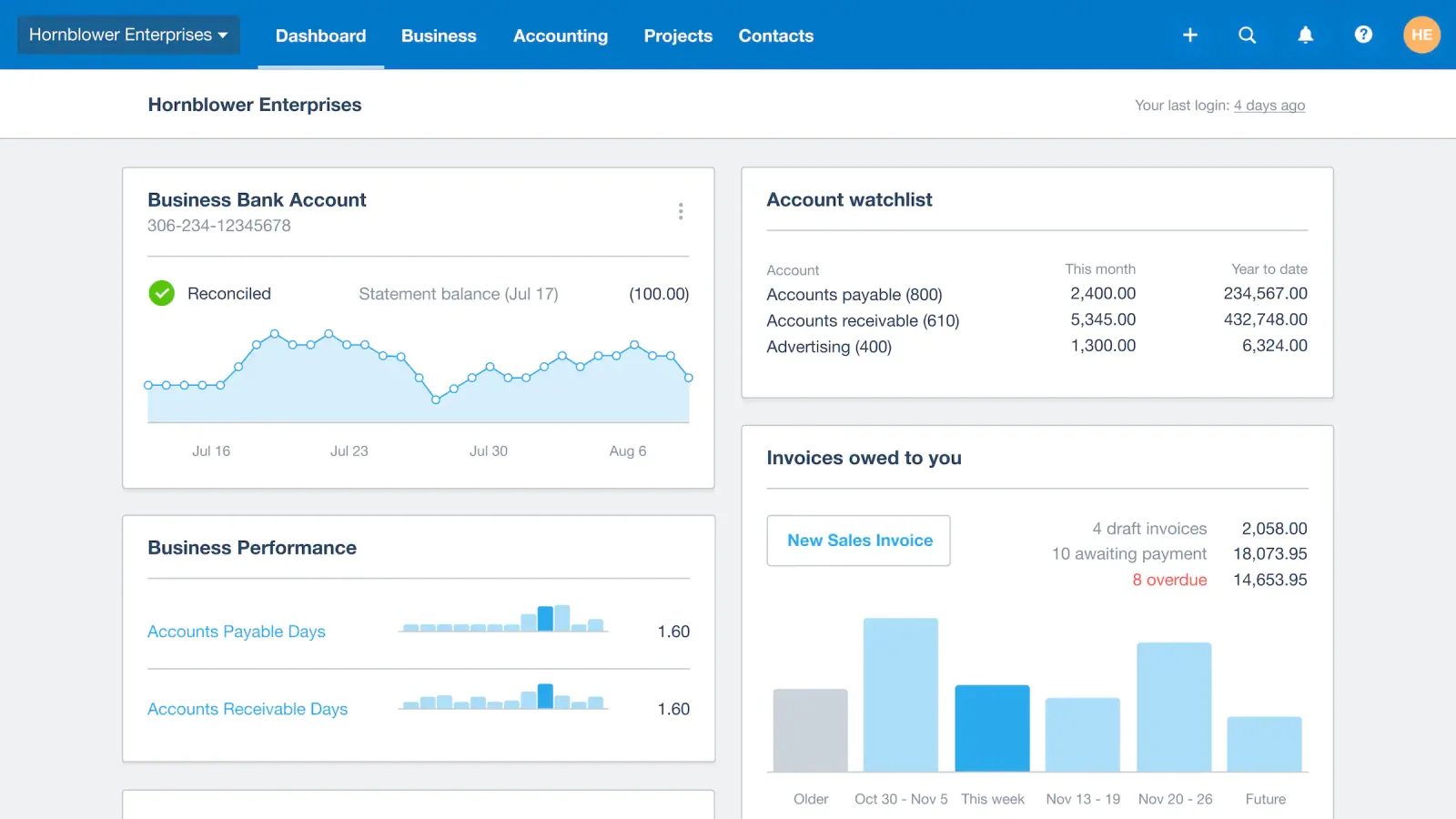
Table of contents
- 2. How This Xero Review Was Assessed
- 3. Bank Reconciliation and Transaction Matching
- 4. Invoicing and Customer Payments
- 5. Supplier Bills and Accounts Payable
- 6. Financial Reports and Cash Flow Forecasting
- 7. Multi Currency and International Trade
- 8. Projects Expenses and Inventory
- 9. Xero App Store and Business Integrations
- 10. Payroll and Employee Administration
- 11. Security Access and Financial Data
- 12. Mobile Accounting and Daily Workflows
- 13. Xero Pricing and Subscription Limits
- 14. Implementation and Accounting Migration
- Frequently Asked Questions
Xero is a cloud-based accounting platform designed to help small businesses manage bookkeeping, invoicing, expenses, bank reconciliation, financial reporting, and cash flow. Its strongest advantage is the way it brings everyday accounting tasks into one online workspace, with bank feeds and automation reducing manual data entry.
However, its suitability depends on the size of the business, the number of transactions, the features included in the selected subscription, and whether the owner needs payroll or more advanced accounting support.
A business can use Xero to issue sales invoices, record expenses, monitor unpaid bills, reconcile bank activity and review reports such as profit and loss, balance sheet and cash flow. The platform also supports a wider set of workflows through add ons and integrations, including payments, inventory, payroll, ecommerce and customer management.
The important buying question is whether a company needs a straightforward bookkeeping tool or a broader accounting system that can connect with the rest of its operations. Xero is strongest when the business wants reliable accounting workflows, multiple users and room to expand through integrations. It is less suitable when the buyer expects every operational function to be included in one subscription.
https://www.youtube.com/watch?v=jhmYKlevvlo&pp=ygUQWGVybyBSZXZpZXcgMjAyNtIHCQkpDAGHKiGM7w%3D%3D
2. How This Xero Review Was Assessed
This review evaluates Xero from a buyer focused perspective, using its published product information, plan descriptions, feature documentation, support material and marketplace information. The assessment distinguishes between features included in the accounting subscription and capabilities that require a higher tier, a separate subscription, a payment provider or a third party application.
That distinction matters. Accounting platforms often advertise a broad collection of capabilities, but not every feature is available in every country or plan. Payroll is a good example. Xero's United States offering connects payroll with Gusto, while payroll arrangements in other markets can differ. Tax reporting, bank connectivity, payment processing and compliance tools are also affected by local requirements.
The review does not claim independent laboratory testing or undocumented hands on results. Instead, it examines the workflows a buyer should verify before adopting the service: how transactions enter the books, how invoices are paid, how supplier bills are controlled, how financial reports are produced, how employees and accountants collaborate, and how the subscription changes as business needs become more demanding.
For current plan details, the primary reference is Xero's official pricing.
Pricing and promotional offers can change. The regular United States monthly prices used in this review are $27 for Early, $59 for Growing and $97 for Established. These are United States prices, not a universal price list. A company operating in Angola or another market should verify local availability, supported banks, tax requirements, billing currency and the appropriate Xero regional edition before subscribing.
3. Bank Reconciliation and Transaction Matching
Bank reconciliation is one of the most consequential parts of Xero. It connects the accounting records with the activity recorded by the business bank account. Instead of manually entering every transaction from a statement, a company can connect supported bank accounts and import transaction information through bank feeds.
Once transactions arrive, Xero presents them for reconciliation. The user can match a bank line with an existing invoice, bill or recorded transaction. If a suitable match is not available, the user can create a new transaction or investigate the difference. This process helps keep the accounting ledger aligned with actual bank activity.
The quality of reconciliation depends on the accuracy of the underlying records. A payment that arrives without a clear reference, a supplier charge recorded under the wrong contact, or a transaction entered twice can still require human attention. Automation reduces repetitive work, but it does not remove the need to understand what a transaction represents.
Xero also supports bank rules. These rules can apply consistent treatment to recurring transactions, such as bank fees, subscriptions or regular supplier payments. A business can define conditions and accounting categories so similar transactions are processed more consistently. This becomes particularly useful when a company has frequent payments with predictable descriptions.
The platform's automated reconciliation capabilities have expanded with JAX. Xero describes JAX as using transaction matches, prior reconciliation behaviour and predictive suggestions to help process bank activity. Users retain control over the reconciliation process and can review or correct entries. The availability of automatic reconciliation can depend on the selected plan and the account configuration.
For a small company, the benefit is not simply fewer clicks. A reconciled bank account gives the owner a more dependable view of available cash, outstanding payments and recent business activity. It also gives an accountant a cleaner starting point when reviewing the books.
There are practical limitations. Bank feed availability varies by financial institution and country. Some connections may require periodic renewal or additional verification. A business using a bank that does not provide a supported feed may need to import statements manually or use another supported method. Before choosing Xero, verify the exact bank connection rather than assuming that a popular international accounting platform supports every local institution.
A sensible implementation starts with one bank account, a clean chart of accounts and a short review routine. The business should reconcile transactions frequently, investigate unmatched items and avoid leaving months of activity unresolved. Automation works best when the bookkeeping process is maintained consistently.
4. Invoicing and Customer Payments
Xero's invoicing tools allow businesses to create customer invoices, send them electronically and track whether they have been paid. An invoice can include the customer details, products or services supplied, quantities, prices, tax treatment, payment terms and due date. Once issued, it becomes part of the accounts receivable process.
This is important for service providers, consultants, agencies, wholesalers and other businesses that need to bill customers regularly. A company can keep a record of what it has invoiced, identify overdue balances and review how much money is expected from customers.
The ability to create quotes also helps businesses that need customer approval before beginning work. A quote can be prepared and sent for review. When accepted, it can form the basis of an invoice, reducing the need to recreate the same information manually.
Payment options can be connected to invoices. Depending on the region and configuration, customers may be able to pay through card, bank transfer or supported digital payment methods. Xero can connect with payment providers such as Stripe, allowing businesses to add online payment functionality to their billing process. Payment provider fees and eligibility rules remain separate considerations.
Automated reminders can help businesses follow up on overdue invoices. This is useful when a company has many customers and cannot afford to monitor every due date manually. The reminders should still be configured with care. A customer with an agreed payment extension should not receive an inappropriate automated demand.
Xero also provides invoice status information, helping users distinguish between draft, sent, viewed, paid and overdue documents where supported. That makes it easier to identify bottlenecks in the collection process.
The Early plan has a material restriction: it allows up to 20 invoices and quotes and five bills within the relevant monthly limits. A business that invoices customers frequently may outgrow this tier quickly. Growing and Established remove those basic transaction limits, making them more practical for businesses with regular billing activity.
Buyers should also examine how invoices fit into their existing sales process. Xero is an accounting platform, not a full customer relationship management system. It can store contact information and financial history, but companies that need sales pipelines, advanced customer communications or complex subscription billing may need specialist applications connected through the marketplace.
The most useful way to evaluate invoicing is to test a complete customer journey. Create a quote, convert it into an invoice, send it, record a partial payment, apply the remaining payment and review the resulting accounting entries. This reveals more than simply looking at an invoice template.
5. Supplier Bills and Accounts Payable
Accounts payable is the other side of the daily cash flow picture. Xero lets businesses record supplier bills, organise payment obligations and see what is due. This is particularly valuable for companies that purchase stock, rent equipment, pay contractors or receive recurring service invoices.
A supplier bill can be entered with the supplier, invoice date, due date, reference, line items, tax treatment and account allocation. Once recorded, it becomes part of the company's payable balance. Managers can review upcoming obligations rather than relying on email searches or paper documents.
Document capture can reduce manual entry. Xero's document tools, including Hubdoc and Smart Document Capture capabilities, help collect information from receipts and bills. The exact functionality and availability can vary by plan and market. Users should check the resulting data rather than assuming every scanned document will be classified perfectly.
The distinction between capturing a document and approving a payment is important. A scanned supplier invoice is evidence of a request for payment, not proof that the goods or services were received or that the amount is correct. Businesses should maintain approval procedures for supplier changes, unusual invoices and large payments.
Xero's United States plans include online bill payment options powered by Melio. Standard ACH payments are described as included without an additional payment fee, while other payment methods and cross border transactions may incur fees. Availability and terms should be checked before a business builds its payment process around the feature.
A useful payable workflow involves receiving a supplier invoice, checking it against the purchase or delivery record, entering the bill, assigning the correct expense or asset account, confirming the due date and scheduling payment. The business can then reconcile the payment when it appears in the bank feed.
For smaller businesses, this helps avoid missed due dates and duplicated supplier payments. For larger operations, the accounting system may need more sophisticated approval routing, purchase order matching and segregation of duties. Some of those controls may require additional applications or a more specialised finance system.
The Early plan's five bill limit makes it a restrictive option for businesses with regular supplier activity. Growing or Established is likely to be a more practical starting point once bill volume becomes part of normal operations.
6. Financial Reports and Cash Flow Forecasting
Financial reports are where bookkeeping becomes useful to management. Xero can produce standard accounting reports, including profit and loss, balance sheet and cash flow information. These reports help owners understand revenue, expenses, assets, liabilities and the movement of money through the business.
A profit and loss report shows income and expenses over a selected period. It can help identify whether revenue is growing, whether operating costs are increasing and whether the business is generating a profit. A balance sheet presents the financial position at a particular date, including what the business owns and owes. Cash flow reporting helps explain the movement of cash rather than simply showing accounting profit.
These reports answer different questions. A business can report a profit while still struggling to pay suppliers because customers have not settled their invoices. Equally, a bank balance can look healthy after a loan or owner contribution even when the underlying operation is losing money. Owners should avoid using one report as a complete picture of financial health.
Xero's dashboard gives users a summary of financial information, including bank balances, invoices and bills. The Growing and Established plans provide additional reporting and dashboard capabilities compared with the entry tier. The higher plan also includes a longer cash flow forecast period.
The US plan information lists a 30 day cash flow forecast for Early, 60 days for Growing and 180 days for Established. This gives businesses different planning horizons depending on their subscription. A longer forecast can help with upcoming supplier commitments, expected customer receipts and potential cash shortages.
Forecasts are only as reliable as their inputs. If invoices are overdue, supplier bills are missing or expected sales are unrealistic, the forecast will not become accurate simply because it is displayed in a dashboard. Businesses should update their records and review assumptions regularly.
Xero's analytics capabilities can help managers examine financial performance, with more advanced dashboards, scorecards and KPI analysis available on higher plans. These tools are useful when a company wants to track ratios and compare performance over time. They should not be mistaken for a full enterprise planning system with extensive operational forecasting, scenario modelling and consolidation across complex corporate structures.
For a small business, the practical routine is straightforward. Review cash balances and overdue invoices weekly. Check profit and loss monthly. Compare actual results with the budget. Investigate material differences rather than accepting totals without explanation.
7. Multi Currency and International Trade
Businesses that invoice overseas customers or pay international suppliers need accounting records that handle more than one currency. Xero supports multi currency accounting in eligible plans, with the Established tier in the United States including this capability.
A company sets its base currency when configuring the organisation. It can then record eligible invoices, bills, bank accounts and other transactions in supported foreign currencies. Xero converts those transactions into the base currency for financial reporting and tracks the relevant exchange rate information.
This is useful for exporters, importers, international consultants, online businesses and companies that maintain foreign currency accounts. It reduces the need to calculate every exchange conversion manually and makes it easier to understand the local currency value of international activity.
Xero states that it supports more than 160 currencies. Exchange rates can be applied to foreign currency transactions, and users may be able to override a rate when a specific agreed rate is required. The accounting treatment should still be reviewed by a qualified accountant, particularly when exchange gains and losses affect financial statements or tax reporting.
Multi currency is not merely a convenience for displaying a foreign currency symbol. It affects receivables, payables, bank balances and realised or unrealised exchange differences. A company that receives an invoice in euros but reports in US dollars needs to preserve the transaction's original value and the accounting conversion.
The plan restriction matters. A company that needs multi currency should not choose a lower tier based only on its monthly price. It should compare the cost of the Established plan with the cost and complexity of using separate tools or manual processes.
International businesses should also verify bank feed support and local payment methods. Currency support does not guarantee that every bank, payment provider or tax authority in every country is connected. A company operating across borders needs to validate its actual banking and compliance requirements before migration.
8. Projects Expenses and Inventory
Xero extends beyond basic invoicing and bookkeeping through tools for projects, expenses and inventory. These capabilities are relevant to businesses that need to understand the cost of delivering work, reimburse employee spending or monitor products held for sale.
Project tracking is particularly useful for consultancies, agencies, trades and professional service firms. A business can track time and costs against a project, then use that information when preparing quotes and invoices. This can help managers see whether a job is generating the expected margin.
For example, a consulting firm might agree to deliver a project for a fixed fee. Staff record time spent, while the business records direct costs such as travel or subcontractor charges. Comparing those costs with the invoiced amount gives management a clearer view of project profitability.
Project tracking is not a replacement for a full project management platform. It does not automatically provide every capability needed for resource scheduling, task dependencies, software development workflows or complex delivery governance. Companies with those requirements should connect a specialist application.
Expense management can help employees submit business expenses and mileage claims. The Established plan includes employee expense and mileage claim capabilities in the US plan comparison. This is useful for businesses that reimburse travel, accommodation, client entertainment or other approved expenditure.
An effective expense process needs clear policies. Employees should know what qualifies as a business expense, what evidence must be attached and who approves the claim. Accounting software can record and route the information, but it cannot decide whether a purchase was appropriate under company policy.
Inventory is another area where buyers should look carefully at the distinction between included functionality and add ons. Xero offers inventory tracking, while the US pricing page lists Inventory Plus as an optional add on. Businesses with straightforward stock needs may find basic tracking sufficient. Companies managing large catalogues, multiple warehouses, batch numbers, serial numbers, complex purchasing or advanced fulfilment may require dedicated inventory software.
The right decision depends on operational complexity. A small retailer with a limited product range has different needs from a distributor managing thousands of stock keeping units. The latter should test purchase orders, stock adjustments, cost calculations, returns and sales channel synchronisation before committing.
9. Xero App Store and Business Integrations
Xero's integration ecosystem is one of its strongest reasons for consideration. The Xero App Store lists more than 1,000 applications across categories such as payments, payroll, ecommerce, inventory, customer management, reporting, time tracking and expense management.
The marketplace allows businesses to connect accounting with the systems they already use. An ecommerce application can send sales information into Xero. A payment provider can pass transaction information for reconciliation. A time tracking tool can supply billable hours for project costing. A reporting application can extend management analysis beyond the standard accounting reports.
Examples include Stripe for online payments, Shopify for ecommerce, Syft for reporting and forecasting, and Dext for document and expense workflows. The exact integration behaviour varies by application. Some connections are built and maintained by Xero, while others are supplied by third party developers.
A marketplace listing should not be treated as a guarantee that an application is suitable for every business. Xero indicates that listed apps are reviewed against standards, but businesses remain responsible for assessing the app's performance, quality and suitability. Buyers should inspect the vendor, permissions, subscription fees, support arrangements, data handling and synchronisation behaviour.
Before installing an integration, define which system owns each type of information. If a business uses one platform for customer orders and another for inventory, it must decide where product quantities and prices are maintained. Poorly designed integrations can create duplicate contacts, repeated invoices or inconsistent stock figures.
A good integration test should include normal transactions and exceptions. Test a sale, refund, partial payment, tax adjustment and cancelled order. Check how each event appears in Xero and whether the resulting ledger entries are correct. Also confirm what happens if the connection is interrupted and later restored.
The App Store gives Xero room to adapt to different industries, but it also introduces additional cost and vendor dependency. The accounting subscription may be only one part of the total software budget. A buyer should calculate the cost of essential connected applications before comparing Xero with competing accounting products.
10. Payroll and Employee Administration
Payroll is a critical area where regional differences must be understood. Xero's United States offering promotes Xero Payroll powered by Gusto. The integration connects the accounting platform with Gusto's payroll service, allowing payroll information to flow into the accounting records.
The published integration information describes single sign on, payroll data synchronisation and payroll alerts. Pay runs can synchronise as bills in Xero, while users can move between relevant Gusto and Xero areas. Gusto handles the payroll service itself, including payroll processing and applicable filings under its own terms.
This arrangement can be convenient for US businesses that want payroll and accounting connected. However, it means payroll is not simply a universal built in feature included in every Xero subscription worldwide. The service is an additional offering with its own pricing and eligibility requirements.
The US pricing information lists Xero Payroll powered by Gusto as an optional service, with a separate monthly base charge and a per employee or contractor charge. The figures shown in the plan comparison are $36 per month plus $6 per employee or contractor. Buyers should verify the current Gusto price and terms before budgeting.
Businesses outside the United States should not assume that Gusto is available or that the same integration applies. Payroll legislation, tax deductions, social security contributions, reporting obligations and payment arrangements differ by jurisdiction. A company operating in Angola, for example, must verify that its chosen payroll system supports local employment and statutory requirements. A US product page is not evidence of Angolan payroll compliance.
Payroll also requires strong access controls. Salary details and employee information should only be visible to authorised users. Companies should review permissions for accountants, managers and payroll administrators and remove access promptly when responsibilities change.
For organisations with complex human resources needs, Xero should be considered an accounting platform that can connect to payroll and HR systems, rather than a comprehensive human capital management suite. Recruitment, performance management, employee engagement, workforce planning and advanced benefits administration may require other software.
11. Security Access and Financial Data
Accounting software holds sensitive business information.
This can include bank transactions, customer details, supplier records, employee expenses, invoices, payroll related information and financial reports.
Security should therefore be assessed as part of the buying decision, not treated as a technical detail to review after implementation.
Xero describes several data protection measures, including encryption, data replication and multi factor authentication.
Multi factor authentication adds a second verification step during login, helping protect accounts when a password has been exposed or reused elsewhere.
User permissions are equally important.
Businesses can invite other users and control what they can view or do.
An owner may need broad access, while an employee responsible for invoicing should not automatically receive permission to manage every area of the organisation.
The principle of least privilege is useful here.
Give each person only the access needed for their role.
Review access periodically, particularly when an employee leaves, an external accountant changes or a contractor completes a project.
Security also depends on the connected applications.
Every third party app may receive access to some part of the accounting data.
A business should understand the requested permissions, confirm the vendor's security practices and remove integrations that are no longer needed.
A secure accounting setup should include unique passwords, multi factor authentication, controlled user invitations and a documented process for changing access.
Staff should be trained to recognise suspicious payment requests and changes to supplier bank details.
Fraudsters sometimes exploit legitimate accounting workflows by sending false invoices or impersonating suppliers.
Xero's platform security cannot prevent every operational mistake.
If an authorised user approves a fraudulent bill or shares login credentials, the business may still suffer a loss.
Internal controls, payment verification and staff awareness remain necessary.
12. Mobile Accounting and Daily Workflows
Xero offers mobile applications that allow business owners and employees to access selected accounting tasks away from a desktop.
Mobile access can be useful for checking invoices, reviewing financial information, capturing receipts and handling routine tasks while travelling or working at customer locations.
The mobile experience is most valuable when it supports a clear business process.
A contractor might photograph a receipt immediately after buying materials.
A consultant might check whether a customer has paid before attending a meeting.
A business owner might review cash balances without waiting to return to the office.
Mobile access should not be confused with the full desktop experience.
Some accounting tasks involve detailed transaction review, report configuration, reconciliation investigation or organisation settings that are easier to manage on a larger screen.
Businesses should identify which tasks employees are expected to complete on mobile and test those workflows.
Device security matters.
A phone used to access financial records should have a screen lock, current operating system updates and appropriate account protection.
If an employee loses a device, the business should know how to revoke access and protect the account.
Mobile applications also depend on connectivity.
Staff working in areas with unreliable internet access should understand which activities require an active connection.
A mobile accounting app is not automatically an offline bookkeeping system.
For owners who spend much of the day away from the office, the mobile application can make routine financial checks more convenient.
For accountants handling detailed month end work, the desktop interface and connected reporting tools will usually remain central.
13. Xero Pricing and Subscription Limits

Xero's United States pricing is structured around three main business plans: Early, Growing and Established.
The regular monthly prices shown on the official US pricing page are $27, $59 and $97 respectively.
Promotional discounts may reduce the initial subscription cost for eligible new customers, but the standard recurring price is the figure businesses should use when calculating their long term budget.
Early is intended for businesses with relatively limited transaction volumes.
It includes up to 20 invoices and quotes and five bills in the relevant monthly period.
It also provides bank reconciliation, financial reports and other core accounting capabilities.
Those limits can become restrictive for a business that invoices frequently or receives supplier bills throughout the month.
Growing removes the basic invoice and bill limits and adds more advanced reporting and cash flow functionality.
The published US plan information includes a 60 day cash flow forecast, performance dashboards and additional budget tools.
For many active small businesses, this is the more realistic entry point once bookkeeping becomes a regular operational process.
Established adds capabilities aimed at more demanding financial management.
These include multi currency accounting, project time and cost tracking, employee expense and mileage claims, KPI analysis, industry benchmarking and a longer cash flow forecast.
It is the relevant tier for businesses that need those functions within the Xero subscription.
The difference between the plans is not simply the number of users.
Xero promotes no per user licence fees for its US business plans, which can be attractive when several employees, managers and accountants need access.
However, additional services such as payroll and Inventory Plus can increase the total cost.
A proper cost comparison should include more than the subscription.
Consider payment processing fees, payroll charges, third party applications, migration support, training and the time required to maintain the system.
A lower subscription can become more expensive if essential functionality must be purchased elsewhere.
The promotional price should never be confused with the ongoing price.
Xero's pricing page may display introductory discounts for a limited period.
Businesses should calculate the annual cost using the regular price and confirm the renewal terms before entering payment details.
14. Implementation and Accounting Migration
Moving to Xero requires more preparation than creating an account and entering a few invoices.
The quality of the migration determines how useful the accounting records will be after launch.
Start by reviewing the existing bookkeeping system.
Identify the chart of accounts, customer and supplier records, unpaid invoices, unpaid bills, bank balances, tax settings, fixed assets and historical transactions that need to be transferred.
Remove duplicate contacts and resolve obvious data errors before importing information.
The chart of accounts deserves particular attention.
It defines how transactions are classified and how reports are organised.
A company should avoid creating a large number of overlapping expense categories simply because its old spreadsheet used them.
At the same time, it should not simplify the structure so aggressively that management loses important financial detail.
Opening balances must be accurate.
If the business begins using Xero with incorrect bank balances, receivables or liabilities, its reports will be misleading from the first day.
The accountant should confirm the conversion date and reconcile opening figures with the previous system.
Next, configure bank connections and payment services.
Test each supported account and confirm that transactions are imported correctly.
Establish bank rules only after the business understands how recurring payments should be classified.
User access should be planned before launch.
Decide who can create invoices, approve bills, reconcile transactions, view payroll information and change organisation settings.
Invite the accountant or bookkeeper and agree on responsibilities for month end review.
The first month should be treated as a controlled transition.
Reconcile bank accounts regularly, compare key balances with the previous system and investigate differences.
Do not assume that a successful import means the migration is complete.
Training should focus on actual responsibilities.
Sales staff need to understand customer and invoice procedures.
Finance staff need to understand bill entry and reconciliation.
Managers need to know how to interpret reports without changing accounting records unnecessarily.
Xero's suitability improves when the company has a clear bookkeeping process.
Software cannot compensate for missing invoices, undocumented purchases or inconsistent approval practices.
The best implementation combines accurate opening data, appropriate permissions and a repeatable monthly close routine.
Key features
- Automated bank transaction reconciliation
- Live bank feed connections
- Customer invoice creation and tracking
- Online quotes and estimates
- Automated overdue invoice reminders
- Supplier bill management and tracking
- Smart document and receipt capture
- Cash flow forecasting dashboards
- Profit and loss reporting
- Balance sheet financial reporting
- Multi currency transaction handling
- Project time and cost tracking
- Employee expense and mileage claims
- Inventory tracking and stock records
- Purchase order creation and management
- Contact records for customers suppliers
- Online invoice payment connections
- Bank rules for recurring transactions
- Financial performance analytics dashboards
- Accountant and bookkeeper collaboration
- Mobile accounting application access
- Third party app marketplace
- Multi user access permissions
- JAX assisted reconciliation suggestions
Pricing
- Twenty monthly invoices and quotes
- Five monthly supplier bills
- Connected bank transaction reconciliation
- Standard financial reporting access
- Thirty day cash flow forecast
- Unlimited invoices and customer quotes
- Unlimited supplier bills and tracking
- Automated recurring bill entry
- Sixty day cash flow forecasts
- Customisable financial performance dashboards
- Multiple business currency management
- Project time and cost tracking
- Employee expense and mileage claims
- Financial KPI and ratio analysis
- One hundred eighty day cash forecasts
Pros & cons
Pros
- Unlimited users on US plans
- Strong bank reconciliation workflows
- Clear financial reporting tools
- Flexible customer invoice management
- Useful supplier bill tracking
- Extensive third party marketplace
- Multi currency on Established
- Practical accountant collaboration features
- Mobile access for routine tasks
- Automated reminders support collections
- Project costing for service firms
- Cash flow forecasting options
- Established accounting product ecosystem
Cons
- Early plan has strict limits
- Advanced features require higher tiers
- Payroll depends on regional availability
- Third party apps add costs
- Bank feeds vary by country
- Inventory tools have functional limits
- Complex workflows need specialist software
- No permanent free business plan
- Payment processing fees may apply
- Migration requires careful preparation
- Accounting knowledge remains necessary
- Support access can require online requests
- Regional tax coverage needs verification
Xero specs
- Platforms: Web browser, iOS and Android applications
- Free plan: No permanent free plan, trial availability varies
- Starting price: $27 per month, US Early plan
- Integrations: More than 1,000 marketplace applications
- Support: Online support, help centre and partner accountants
- Best for: Small businesses, accountants and growing service companies
Our verdict
Xero is a well developed accounting platform for businesses that want reliable bookkeeping, invoicing, bank reconciliation and financial reporting without paying for a separate user licence for every team member under its US plans. Its app marketplace adds flexibility, while Growing and Established provide a sensible path for businesses with more demanding financial workflows. The main reasons to hesitate are regional compatibility, plan restrictions and the cost of connected services. Xero is a strong candidate for small businesses and accounting practices, but companies with complex inventory, manufacturing or enterprise finance requirements should compare specialist systems before making a decision.
Frequently Asked Questions
How Much Does Archie Cost?
Is Archie Good For Hybrid Offices?
Does Archie Integrate With Microsoft Teams?
Is Xero good accounting software for small businesses?
How much does Xero cost in the United States?
Does Xero charge per user?
Does Xero include payroll?
Is Xero better than QuickBooks Online?
Can Xero connect to a business bank account?
Does Xero work on mobile devices?
Can Xero handle sales tax in the United States?
Does Xero support multiple currencies?
Is Xero suitable for freelancers?
Does Xero offer a free plan?
Can an accountant access my Xero account?
Is Xero suitable for ecommerce businesses?
Reader reviews
Be the first to review